
Eclipse配置Git 连接超时timeout时间
Window-->Preferences打开偏好配置对话框,然后选择Team-->Git,将其中的 Connection timeout (seconds): 后面的数值(默认是30)改大些就可以了。如下图所示
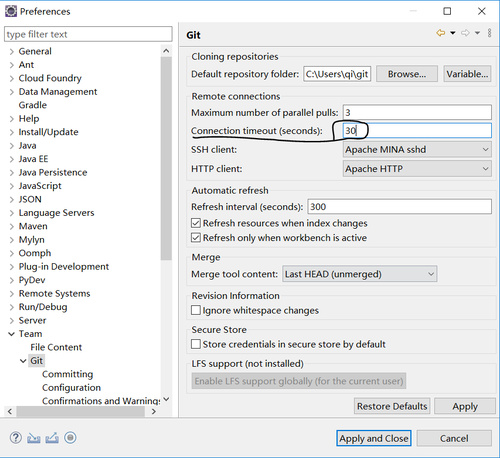
Window-->Preferences打开偏好配置对话框,然后选择Team-->Git,将其中的 Connection timeout (seconds): 后面的数值(默认是30)改大些就可以了。如下图所示
github通知页面改版后,需要点击页面右上角的小铃铛图标进入通知页面

在通知页面左下角有一个Manager notifications,点击之后出现的菜单中,继续点击Watched repositories,这样就能打开被标记为watching的repositories列表了。
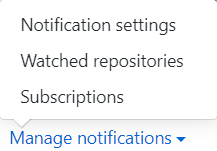
更简单粗暴的办法,就是登录用户可以直接访问 https://github.com/watching 。
© 2020 Q Cloud By Qi. All Rights Reserved 冀ICP备20003377号-1  冀公网安备 13010402001886号